


Christmas Quilt Labels - Free Editable Template

It's always a good idea to add a label to your quilts! It helps people remember who made it and even what for. In order to make it easier for you, I created this fun free template for Christmas quilts and other projects.
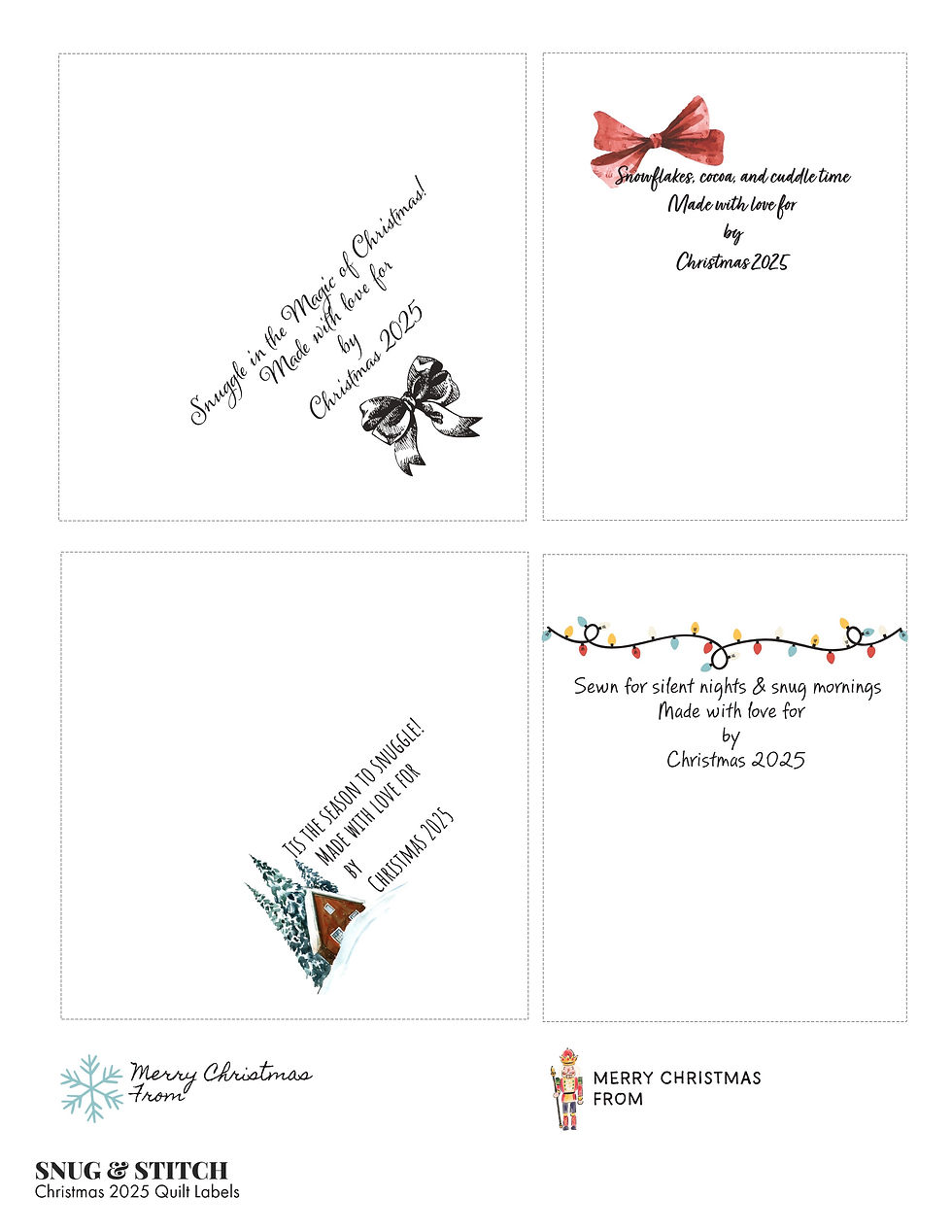
HOW TO MAKE YOUR CHRISTMAS QUILT LABELS
Open the template Adobe Express. Edit the text. Make sure you don't get text too close to the edge of the label or it might get covered by binding.
Once you have the label ready, print it to printable fabric using an inkjet printer. You can download the file or print directly from Adobe Express.
After the labels are printed, follow the package instructions to prepare the fabric for use. With the fabric I used it is rinsed until no ink runs from it. I've never had any ink run off. Then I press it in a towel to start it drying and lay it flat to dry. Finally I press it to set the ink. These have held up well to washing.
Cut out your labels along the dashed lines, or as desired for the bottom two.
The squares are designed to be used in the corner of a quilt back. Before binding the quilt fold and press the label from the upper left to the lower right corner. Then baste it to a corner on the bottom back side of the quilt.
The rectangles can be folded right side together, stitched down both sides then turned right side out and pressed. These can go on the edge of the back of a quilt, or in the seam of other projects.
The smallest, labels can be stitched as desired to the back of any quilt, or anywhere on your other projects.
Click here if you can't see the sign-up form.


Comments